
How to comply with new rules for privacy assessments, automated decisionmaking, & cybersecurity audits
Thank you!
Please check your email to view the guide.
10 Examples of GDPR Cookie Consent
October 21, 2020
5
mins read
Author


What is GDPR Cookie Consent & Examples
54% of the website on internet use Google Analytics
If you are one of such website, you are using cookies for web analytics and need a GDPR cookie consent banner.
What are Cookies?
Cookies are small text files that get downloaded on the site visitor’s device when they visit a website. It allows the website to recognize the device and store additional information, such as user preferences, location, etc.
Developers and businesses use cookies to improve and enhance the user experience. However, when your website uses cookies, you are required to declare it to the site visitors. Thereafter, you will have to gain explicit cookie consent from the user for GDPR compliance.
However, things are not that straightforward. There are several factors that determine whether your cookie consent practice is great or sketchy. Some of these factors include your cookie consent notification, the language used in it, the accessibility of the cookie policy, and so on.
In this post, we will take a look at GDPR Cookie Consent notice, different types of cookie notifications, along with GDPR Cookie Consent examples across all domains.
What is GDPR Cookie Consent Notice? Why Does it Matter?
Laws like the General Data Protection Regulation (GDPR) and ePrivacy mandate that users must explicitly grant their consent before websites can deploy or install cookies on user computers. Hence, if the user or the business is based in the EU, they must adhere to these regulations.
As such, Cookie Consent Messages emerge as banners, pop-ups, and notifications on a website offering the user the option to consent, deny, or change the preferences of the use of cookies.
The key highlights of cookie consent as per GDPR guidelines include:
- Cookie Consent Message must be clearly visible and must display when the user first visits the website.
- The consent collection must be through an explicit opt-in action with dedicated buttons to accept, reject, or modify cookie settings.
- It should include a link to the website’s cookie policy.
- All the non-exempt cookies and scripts must be blocked from running until the user consents.
Different Types of Cookie Notifications
There are several ways in which you can display your cookie consent message. Some of the common ones are listed as follows:
- Cookie Banner: These alerts are located as headers and footers and are fixed in their position. Its inconspicuous location ensures that it does not eclipse any content and is yet prominently located.
- Cookie Consent Pop-Up: These messages emerge as pop-up notifications that may be located bang in the middle of the website or as a corner box on either side. Users can interact with the box to access the website content.
- Implied Consent: In implied consent, websites assume that the user has agreed to the terms and usage of cookies if they continue to interact with the website. While it is not one of the best practices, considering that the user does not offer explicit consent, adding a link to explore cookie policy and modify settings could ensure GDPR Compliance.
10 GDPR Cookie Consent Examples
Following are 10 Cookie consent examples from various live websites:
1. BT
British communication giant, BT, checks all the boxes and follows the best cookie consent practices, making it first on our list of GDPR cookie consent examples. Visitors receive a Cookie Consent Popup notifying them about BT’s Cookie Policy. Users can choose to accept the cookies as is or modify them through the “Edit Cookies” button.

It allows you to navigate panel-by-panel the different types of cookies that the website collects and their purpose.
Thus, you can accept or reject the cookies individually, depending on your preferences. Alternatively, you can select the “Allow all cookies.”
Additionally, after you have set the cookies, you can change these cookie settings using the dedicated cookies button at the bottom of every webpage.
As such, BT sets a great example of implementing GDPR Cookie Consent and GDPR Cookie Compliance.
2. The Guardian

The Guardian displays a highly detailed banner at the footer that educates the user on the website’s cookie policy and usage. After going through the briefing, the users can grant explicit cookie consent with the “Yes, I’m happy” button or modify the settings through the “Manage my cookies” button.
3. Puma
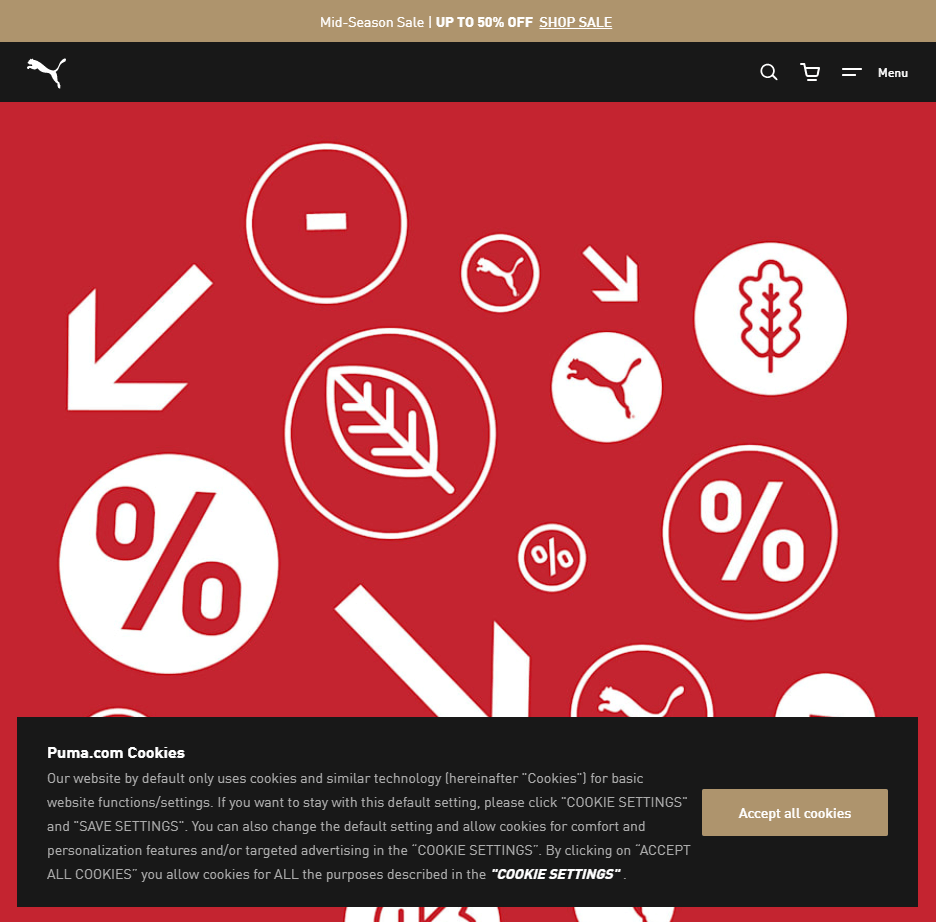
Puma has a floating banner at the footer. Users can check out the additional information through the “Cookie Settings” or directly agree to the preferences preset by the site with the “Accept all cookies” button.
4. Kitchn
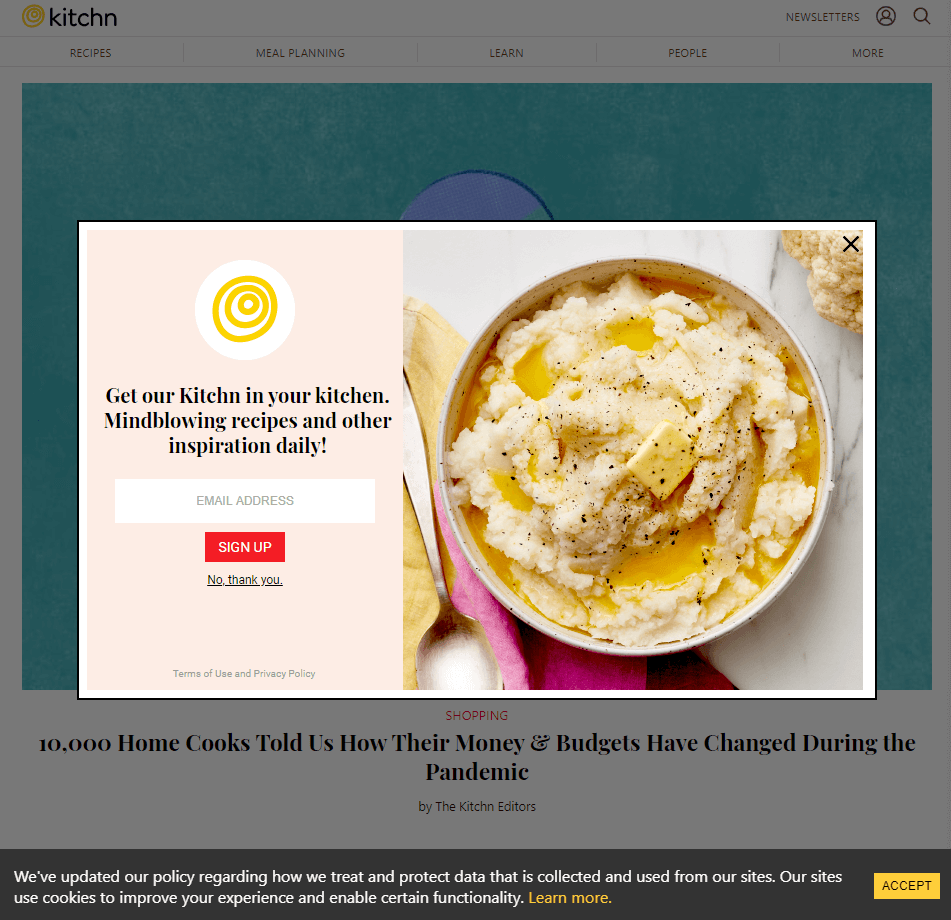
The culinary website keeps it simple with a plain footer declaring the change in the cookie policy as per GDPR guidelines. A single-click “Accept” button offers a blanket consent for the cookies. Alternatively, the “Learn more” link redirects to the GDPR Cookie policy page that contains all the necessary information.
5. Financial Times

The Financial Times has the cookie consent message positioned as a corner box. Users can accept and continue browsing, or they can manually manage their cookies. Rather than following the obsolete practice of the persistent cookie wall, FT pushes for the subscription plans.
6. H&M
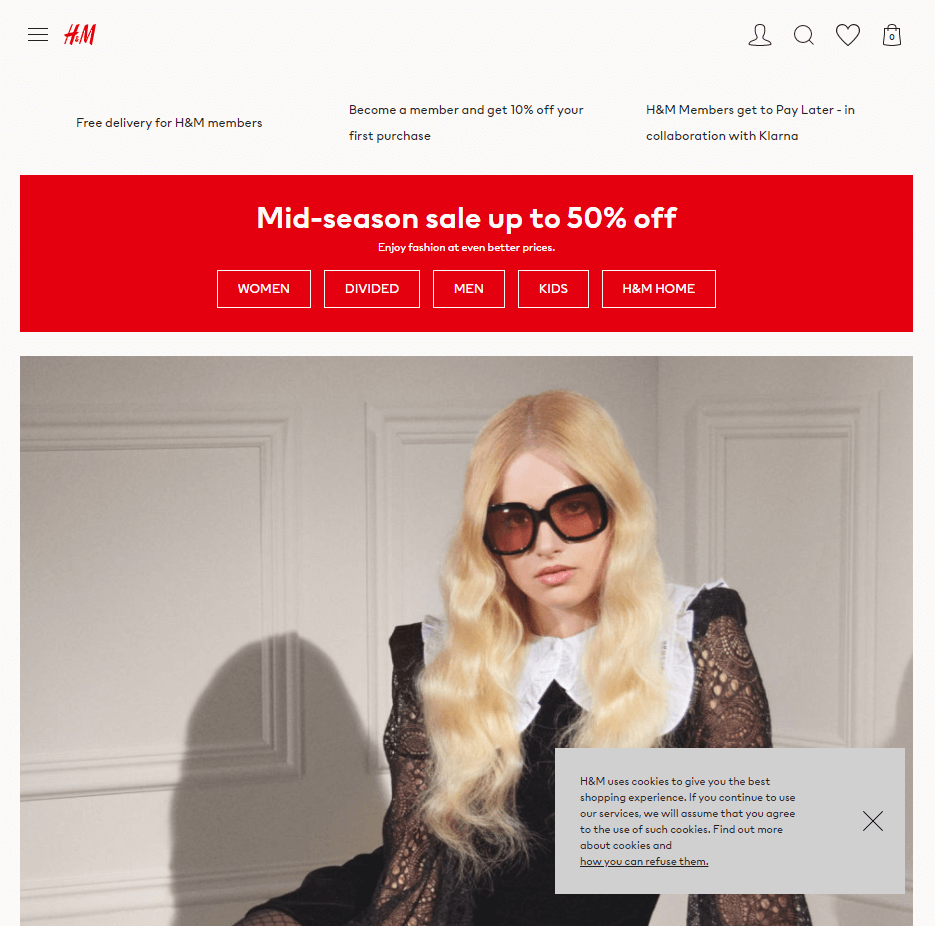
The retail website has a persistent cookie consent corner box that displays on all pages. Clicking on the link in the cookie consent message redirects the user to the complete privacy notice issued by the company.
7. British Airways

British Airways uses implied consent, declaring that the use of the website indicates the user’s consent for storing cookies. However, it maintains transparency by sharing the T&Cs, Use of Cookies, and Privacy Policy.
8. Glamour Magazine

Glamour Magazine starts off with the standard cookie consent message. On clicking on the “Show Purpose” option, Cookie Consent Manager offers a buffet of cookies and their usage to users that they can toggle on or off to accept or decline their preferences.
9. Harper’s Bazaar
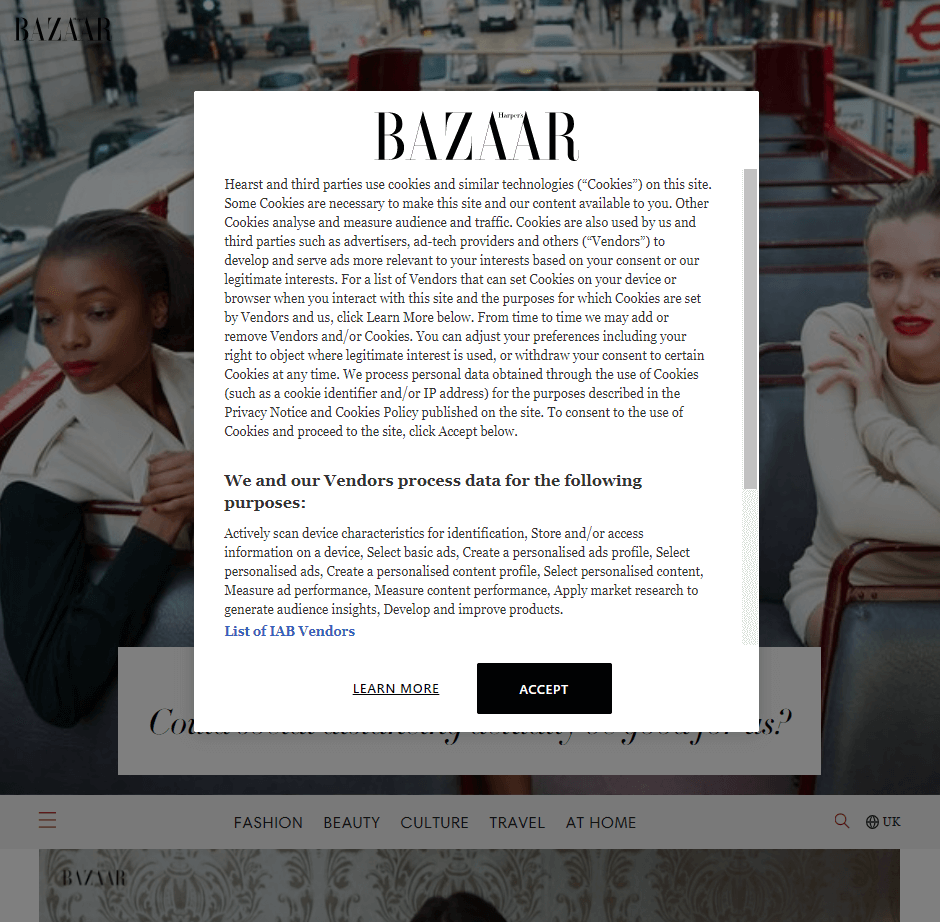
Harper’s Magazine has a brief message of the cookie policy and a link to all the IAB vendors that gain access to these cookies. Users can accept them all in one go with the “Accept” button or individually select their choices through the “Learn More.”
10. Nescafe
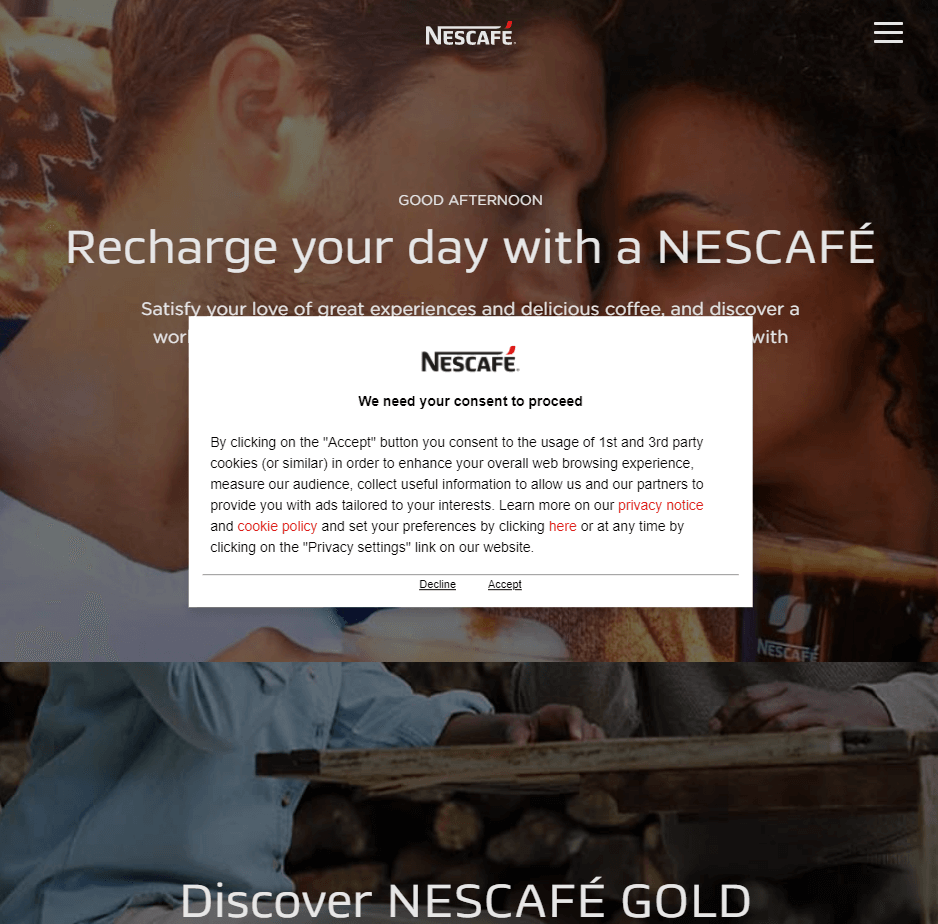
Visitors receive a Cookie Consent Popup on visiting the Nescafe website. The message links to the company’s privacy notice and GDPR cookie policy. Users can change and set their preferences through the link in the message or directly decline or accept the cookies with the buttons presented below.
Summary
Whether you use Shopify or WordPress, cookie consent forms a crucial part of any website, regardless of its purpose. Most websites that have a well-defined cookie consent flow make use of a Cookie Consent Manager to facilitate it. Cookie consent reinforces privacy and ensures compliance with regulations like GDPR.
Now that we have seen different examples, In this GDPR compliant cookie consent guide you can read about how to implement cookie consent on your website in 5 simple steps.
Industry insights you won’t delete. Delivered to your inbox.
Get regular updates from Privado AI
Request free website audit
Request Privado AI demo
Share
Author
.webp)