Privacy Code Scanning Tool

Privacy governance and visibility for all software products

Privado AI's privacy code scanner scans the code running your websites, mobile apps, and backend software to build comprehensive data maps, discover risks during and after development, and generate real-time assessments.

Data elements including email, advertising ID, location and card number shared to Meta, TikTok, Stripe and more
What is Privacy Code Scanning?

Privacy code scanning is the process of continuously scanning the code that runs your websites, mobile apps, and backend software to provide real-time visibility into how personal data is collected, used, shared, and stored. This privacy code analysis gives privacy and engineering teams one record built from the code, not from questionnaires, and helps strengthen privacy governance.

Abstract 3D geometric shape with textured grayscale gradients forming a hollow cube-like structure.
Simple gray tree structure icon with one square branch splitting into two square branches.
Build data maps without questionnaires
Find and fix privacy risks without assessments
Autopopulate RoPAs, PIAs, & DPIAs

Integrate privacy code scanning into product development

Dynamic Data Maps

Build complete data maps across products

Identify and classify all personal data elements processed by your websites, mobile apps, and backend software products. Discover all collections points, processing activities, storage destinations, and third parties. Track flow of each data element across your tech stack in real-time.
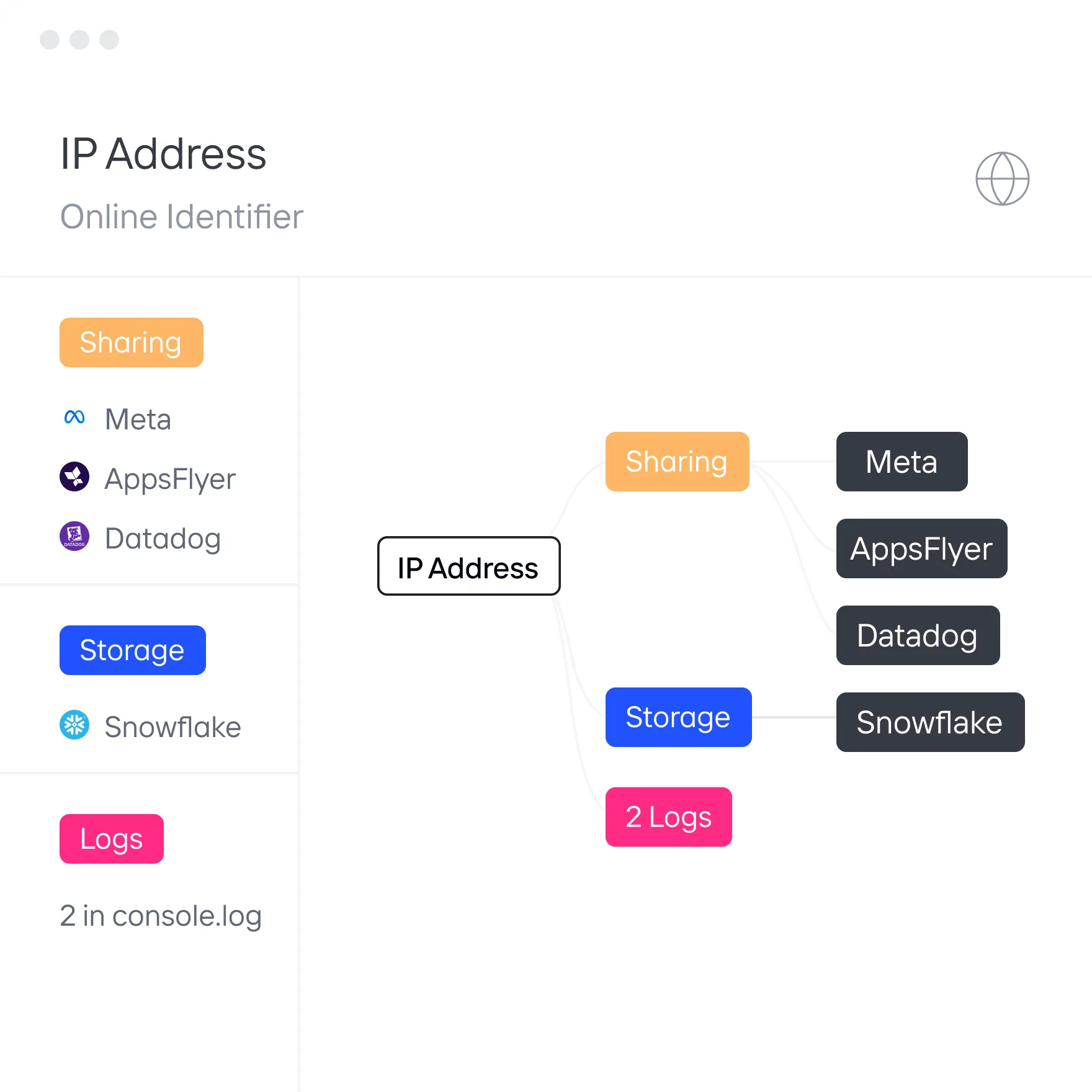
Explore Dynamic Data Maps
Diagram showing IP Address as an online identifier connected to categories Sharing, Storage, and 2 Logs with sub-items Meta, AppsFlyer, Datadog for Sharing and Snowflake for Storage.
Auto-Risk Discovery

Identify risks as data flows change

Continuously audit personal data flows for compliance with your privacy policies. Run source code privacy scanning for your entire codebase to detect new data flows, sensitive data leaks, and other risks during and after development. Prevent privacy risks before they go live.

Explore Auto-Risk Discovery
Screenshot of an issue report titled 'Precise location shared to Meta Ads' with a suggested fix to modify code to prevent sharing precise user location with Meta Ads, showing partial code snippet logging user location.
agentic Assessments

Autogenerate assessments with real-time data

Use agents to populate RoPAs, PIAs, and DPIAs with how personal data is collected, used, shared, and stored. Minimize input needed from stakeholders. Automatically update assessments after each code scan instead of relying on outdated manual assessments.

Explore Agentic Assessments
RoPA Report for payments.app showing automated status, purpose of processing user payments, analytics, advertising, data elements like user name and card number, categories including financial data, processors like Google Firebase and Stripe, and role as processor.
Developer Tool Integrations

Enable developers to prevent risks

Deliver privacy guidance as developers code by translating policies into automated privacy checks in the dev process. Autogenerate dev tickets that provide developers with steps to quickly resolve the issue.

Explore Developer Tool Integrations
Diagram showing workflow: Developer pushes website update, Privado scan detects sensitive data, Issue-217 created and sent to Jira, with tasks to alert developer, resolve risk, and confirm with privacy team.
Privacy Tool Integrations

Sync to OneTrust and other privacy tools

Centrally manage data maps, risks, and assessments in Privado AI or other privacy scanning and data privacy tools like OneTrust or TrustArc. Autopopulate and auto-update data maps, assessments, and risks in other tools with accurate, up-to-date information from Privado AI. Save your teams months of manual data mapping and assessments.
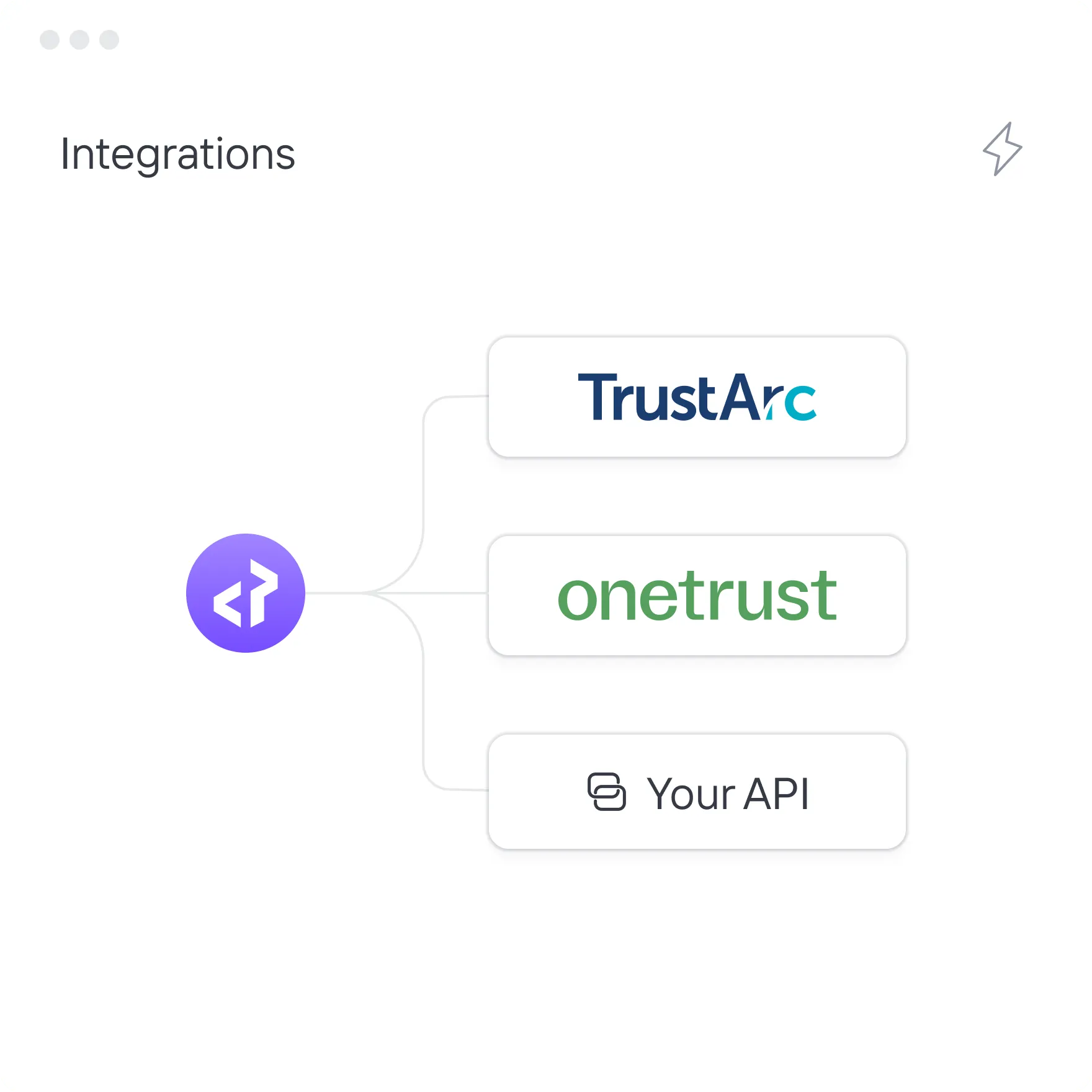
Explore OneTrust Integration
Integration diagram showing connections from a code icon to TrustArc, OneTrust, and Your API options.
IMPLEMENTATION

How to get started with privacy code scanning

Diagram showing a code symbol in the center connected by dotted lines to a server icon on the left and a cloud icon on the right.

Integrate with Privado AI

Integrate Privado AI with your source code management tool in the cloud or on-prem

Diagram showing Personal Data branching into Storage, Sharing, and Logs, each marked with a colored dot.

Generate data maps

Autogenerate complete data maps in days not months without questionnaires

Alert showing 'Sensitive data sharing' with 3 issues and a red exclamation icon, and a grayed-out message 'Advertising pixel added' with 1 issue and a gray exclamation icon.

Identify privacy risks

Automatically start identifying risks according to your privacy requirements

Icons of popular collaboration and development tools: GitHub, Otter.ai, Jira, GitLab, and Slack.

Connect to your tools

Sync data map and risks to OneTrust and provide automated guidance in dev tools

PRODUCT Tour

See Privacy Code Scanning in action

“Privado AI helped us prevent any accidental sharing or tracking in our product by enabling us to structurally build privacy into our SDLC.”

Puneet Thapliyal
CISO

“Privado AI ensures that our privacy compliance reports match our data flows even as our product evolves.”

Smiling woman with long blonde hair wearing a black top against a yellow background.
Aleksandra Kovačevićl
Director, Head of Product Trust